Chart Hands-Free with PCC Scribe
Seamlessly and securely turn conversations into visit notes with PCC EHR’s built-in scribe.
Contents
Scribe Overview
PCC Scribe is a built-in, virtual scribe that uses generative AI technology to transcribe audio and turn it into patient visit notes. PCC Scribe is fully integrated into PCC EHR and is designed to help you focus on patient interaction while reducing documentation time and maintaining note quality. Use of PCC Scribe is completely optional.
Who Can Use It
PCC Scribe is available on an opt-in, per-user basis for clinicians who chart patient visits. If you don’t want to use PCC Scribe, you don’t have to!
Pricing
PCC Scribe is available as a monthly add-on to your PCC Care Plan. After a small implementation fee, your practice pays a monthly fee that is calculated according to the size of your practice. For pricing information, contact PCC Support.
How It Works
At the press of a button, PCC Scribe listens to your visit and transcribes it. Generative AI technology then creates a draft chart note from the transcript. You can edit every aspect of the draft chart note before saving it to the patient’s chart. If you know you always want notes structured a certain way, you can use prompting to set content, tone, and formatting preferences.
Here, take a look!
Open the Visit
Open your patient’s visit.

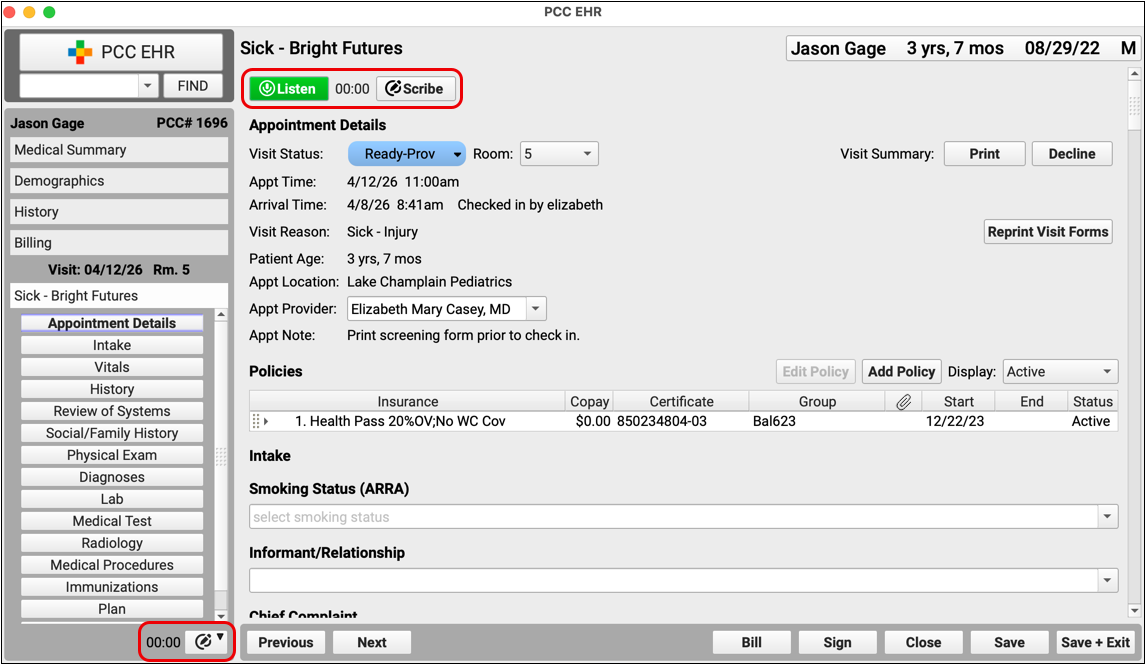
PCC Scribe controls appear at the top of every visit and in the bottom left corner of the open chart.
Begin Listening
Click the “Listen” button to start PCC Scribe.

PCC Scribe will transcribe everything it hears as you conduct your visit.
Stop Listening
Click “Stop” when you want PCC Scribe to stop listening.

You can start and stop as many times as you want.
Open the Scribe Tool
Click the “Scribe” button to open the full PCC Scribe tool.

Generate a Draft Chart Note
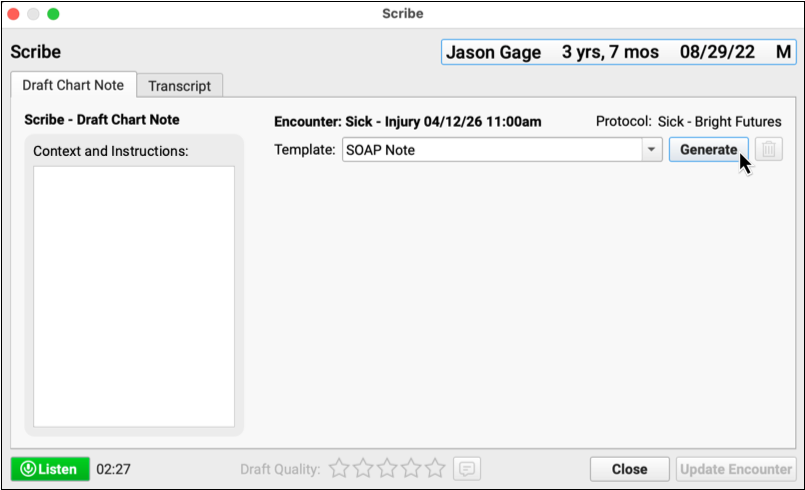
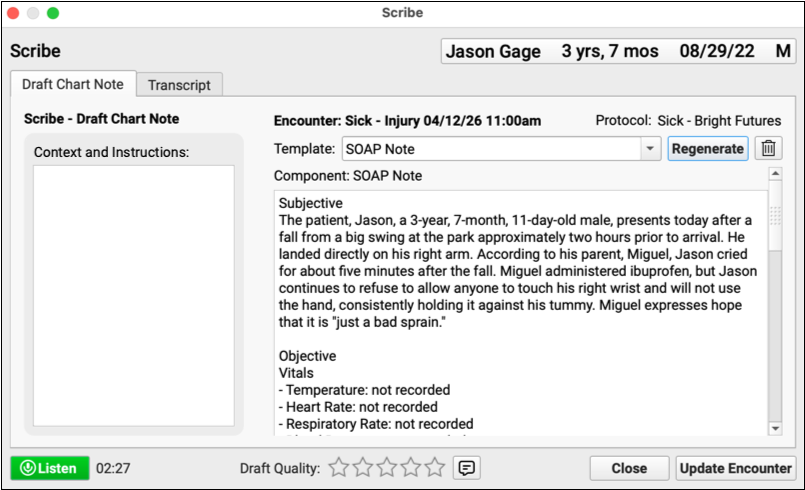
Click the “Generate” button to create a draft chart note from the visit transcript. The draft chart note will be formatted according to your selected template.
Review and Edit the Draft Chart Note
Carefully review the draft chart note generated by PCC Scribe and make edits as necessary.
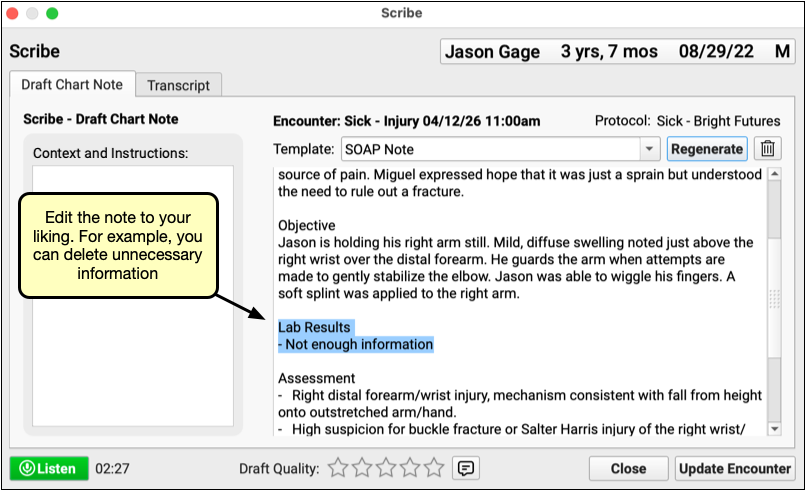
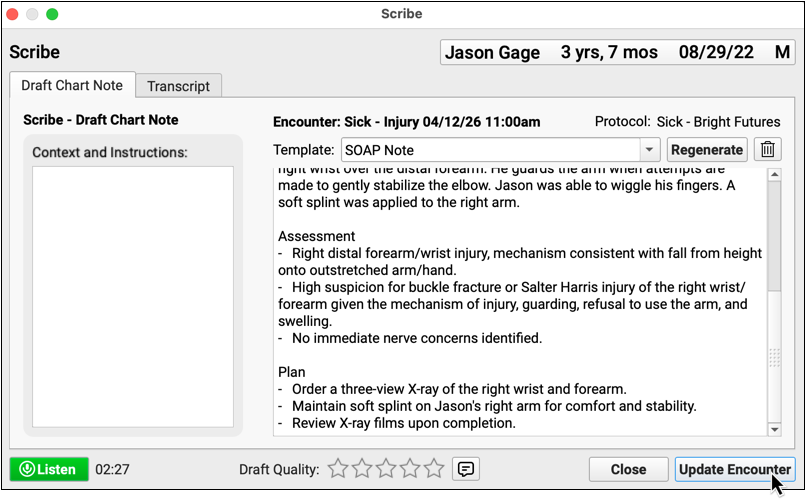
Import the Note into the Visit
Click “Update Encounter” to import the draft chart note into your patient’s visit protocol.
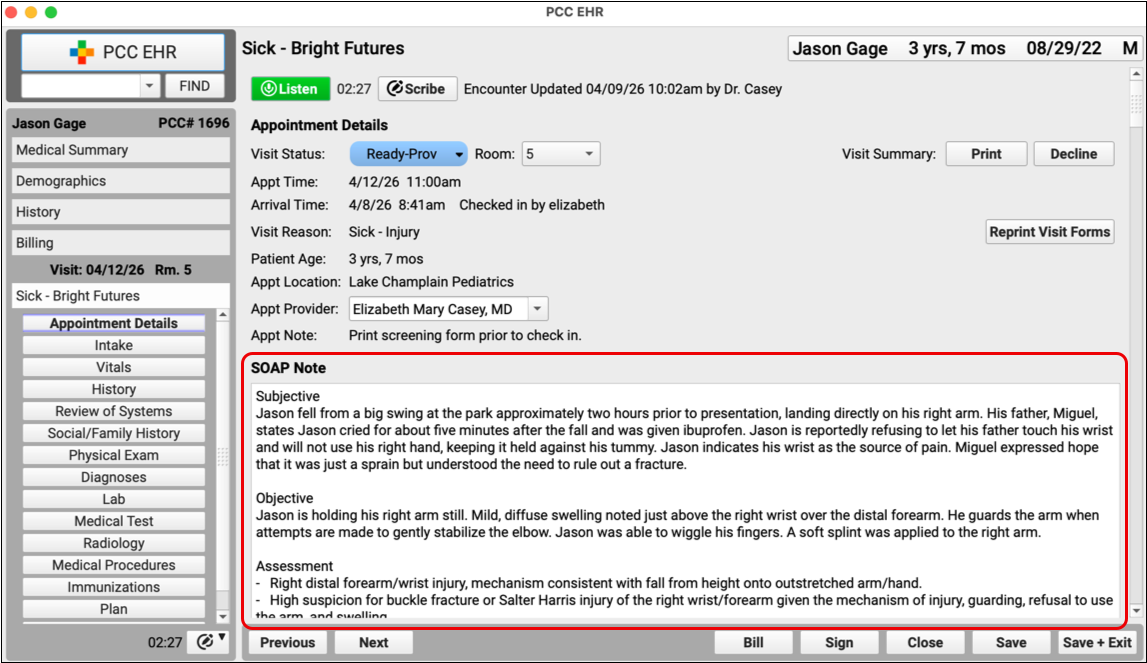
The note appears in your patient’s chart under your name and behaves just like any other chart update. You can continue to make edits after the note has been imported.
PCC Scribe integrates seamlessly with your existing workflows.
Built by PCC
PCC Scribe prioritizes integration with your existing workflows, local hosting of transcription services, and a strong zero-retention policy with the third-party Large Language Model (LLM) service provider. A Business Associate Agreement (BAA) covers PCC’s use of the LLM service, which is used to generate visit notes from transcripts.
Data Privacy and Security
PCC Scribe keeps patient data secure. The only information shared with a third-party LLM for the purposes of generating a note is: the visit transcript, your written context and instructions, your name, the patient’s age, the patient’s pronouns (if marked public in the chart), the patient’s first name, the length of transcription time, the day of the week, and the date. PCC’s agreements ensure none of this information is retained by the third party. PCC does not share additional identifying patient information with third-party service providers, nor does PCC use patient data to train PCC Scribe. A BAA protects your data in PCC’s use of third-party services.
Patient Consent
While PCC encourages transparent, consent-based use of PCC Scribe, the legal obligation to obtain patient and parental consent to record conversations depends on your local jurisdiction. Check with your practice’s legal counsel to establish policies and practices for use of the Scribe.
Questions?
If you have questions about PCC Scribe, contact your PCC Client Advocate.
Read More
Ready to explore in greater detail? Take a look at our guides: