
Check the Payor’s Status on a Claim
Has your claim been received by the payor? Have they adjudicated it yet? What’s the status? You can click a button and instantly receive a claim status report from the payor. Instead of opening the payor’s website or calling them, you can read the payor’s latest claim status right in PCC EHR.
PCC EHR Only, Participating Payors Only: Real-time claim status is available from participating payors for claims submitted through the PCC EHR Claims tool. If you use PCC’s legacy Practice Management suite, Partner, check out Submit Claims and get in touch if you’d like help making the transition or have questions about a specific payor.
Video: To see a claim status request in action, in the context of the Unpaid Encounters worklist, watch Follow Up on Unpaid Encounters with Insurance Balances.
Use the Unpaid Encounters worklist to check the status of any unpaid claim.
Open the Unpaid Encounters Worklist
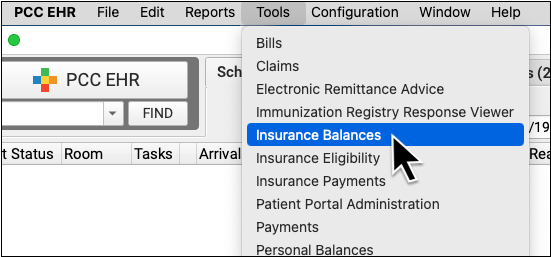
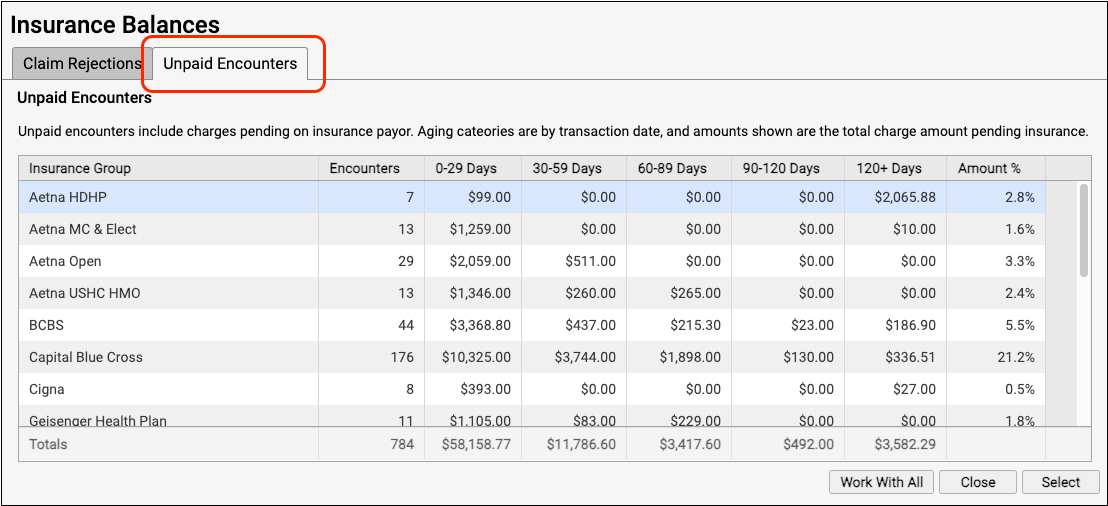
Open the Insurance Balances tool and select the Unpaid Encounters worklist.
Select a Payor or “Work With All”
If you are working down claims for a specific payor, double-click on that payor to see all of their claims.

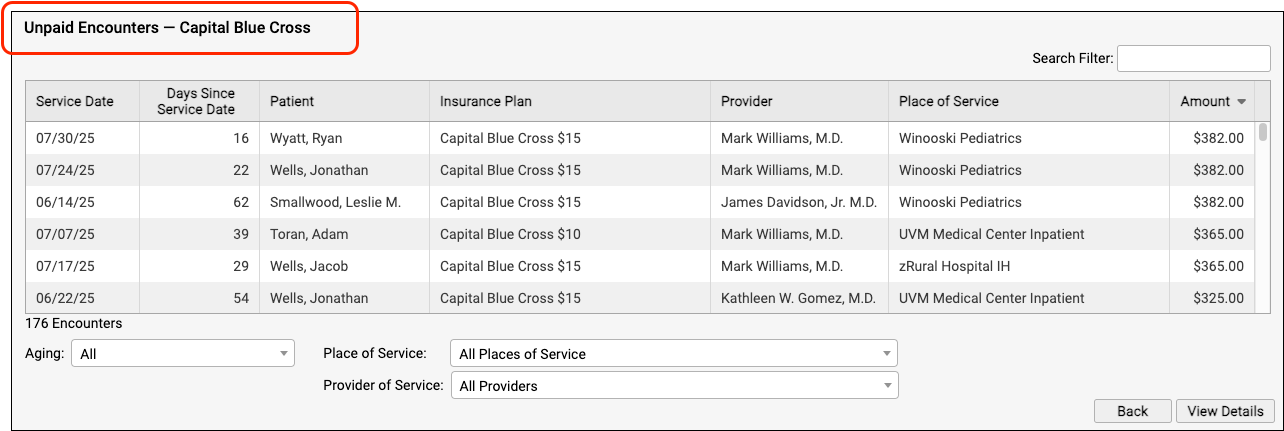
Otherwise, you can click “Work With All” to see all outstanding claims for your practice.
Select the Encounter
Use the search field, sort by a column, and select criteria options to quickly find the encounter in question.
Double-click on the encounter to see more details.

Request Claim Status from the Payor
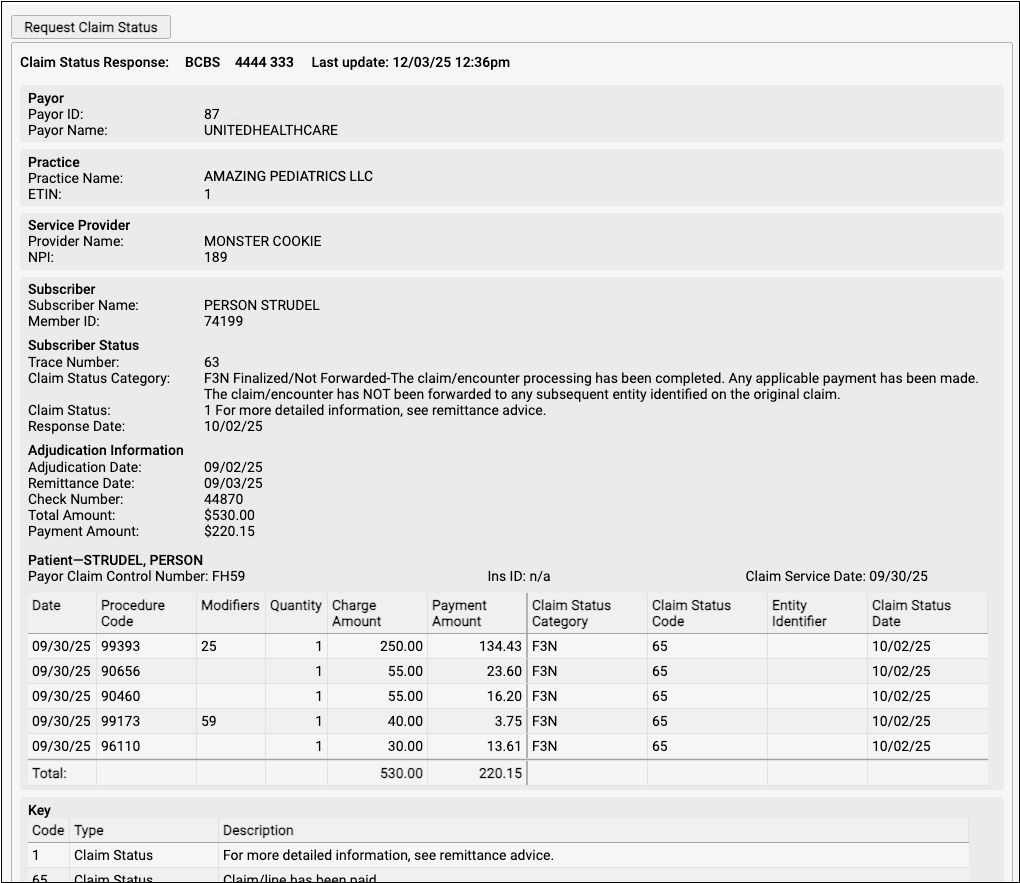
Then click “Request Claim Status” to query the payor.
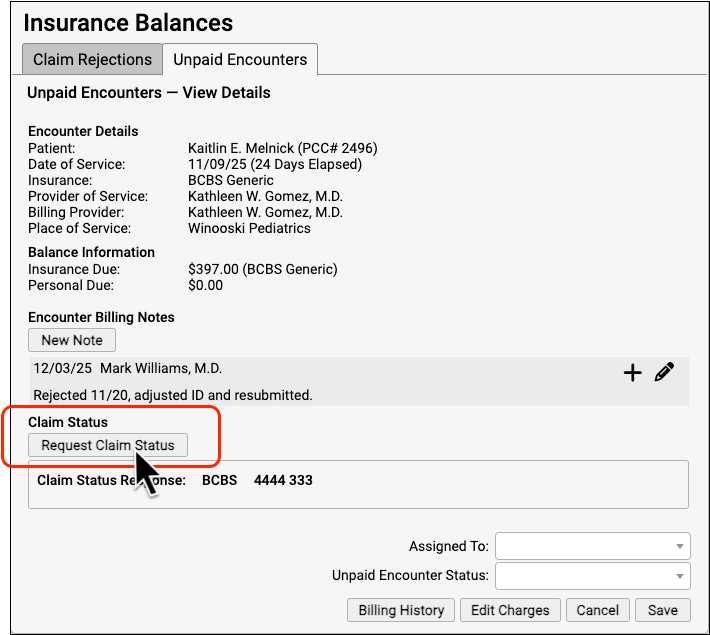
If the payor is in compliance with claim status standards, they will return a result for that encounter, and PCC will format and display the result.
Payor Usage Limits: Most payors do not provide claim status information until seven days after a claim has been submitted. Some payors will not respond to a second query within twenty-four hours. PCC can’t control whether a payor will respond, but you can follow these guidelines to improve the likelihood of receiving information on an unpaid claim.