
PCC 11.0 Release Overview
Clinical
Chart Hands-Free with PCC Scribe
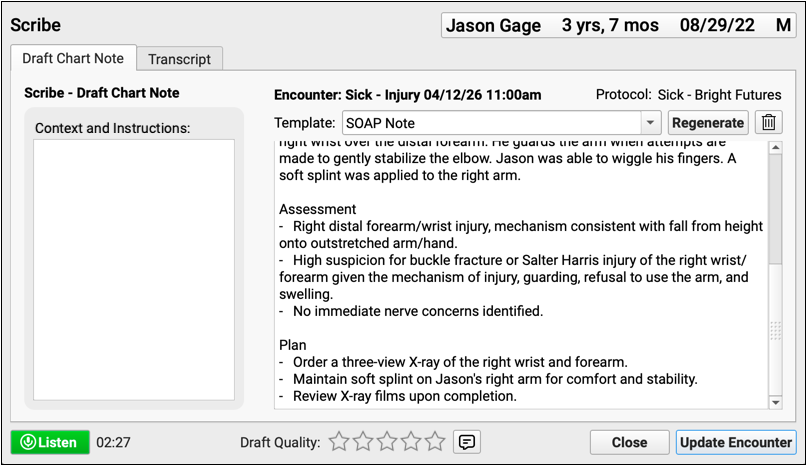
Focus on your patients without sacrificing note quality. PCC’s built-in scribe seamlessly and securely turns conversations into visit notes that follow your content and formatting preferences.
Prescribe the Covered Inhaler on the First Try
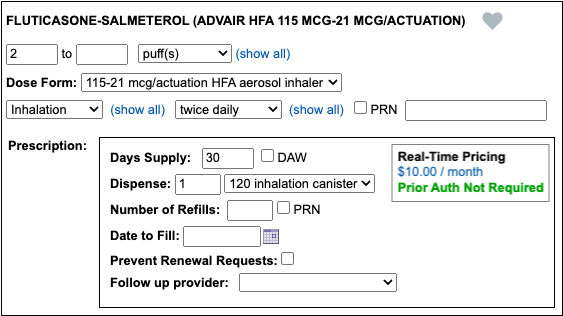
Thought you had prescribed a covered inhaler but the pharmacy says otherwise? PCC 11.0 does a better job of gathering inhaler coverage details to help you decide which treatment to prescribe.
Billing
Edit Policies More Quickly and Easily

Your office will love two small improvements to policy editing: fewer clicks and review the scanned card side-by-side as you type!
Credit Card on File: Faster, Easier Account Payments
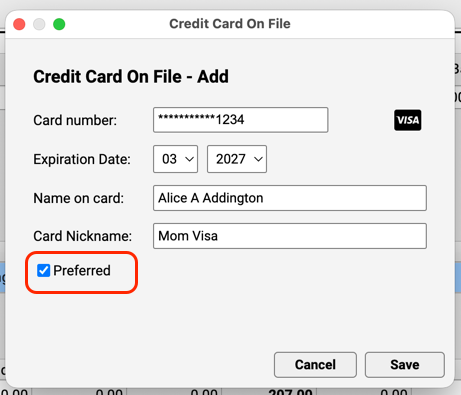
Paper bills are over! Instead of sending a bill, get paid immediately for personal balances due. Your PCC system can integrate with a third-party vendor to securely store credit card information.
Automatically Charge Billing Fees for Overdue Accounts
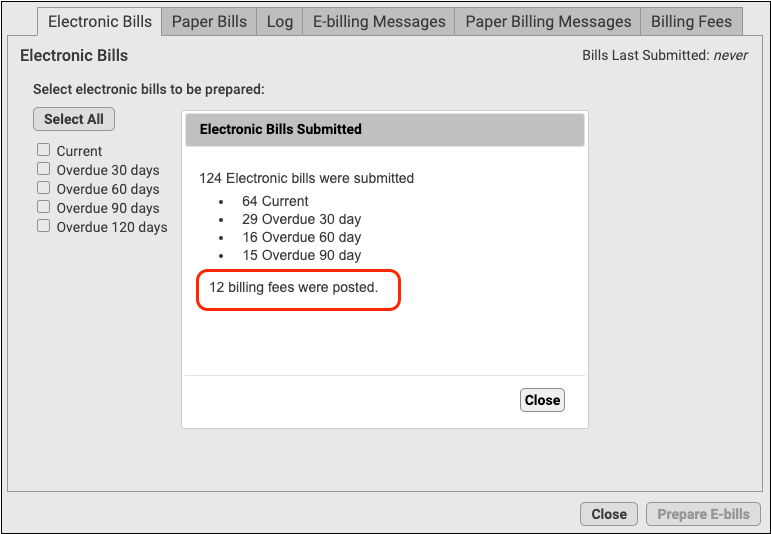
When you generate personal bills, automatically charge your practice’s billing fee for overdue balances.
Print Bills for Any Group of Accounts
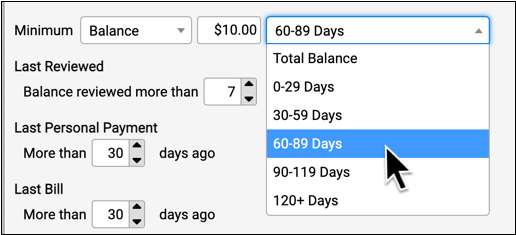
Need to generate bills for all families with a specific status? Want to customize your billing run for overdue accounts? Use the Personal Balances tool to create bills for any group of accounts, based on your criteria.
Prioritize Your A/R with Custom Statuses
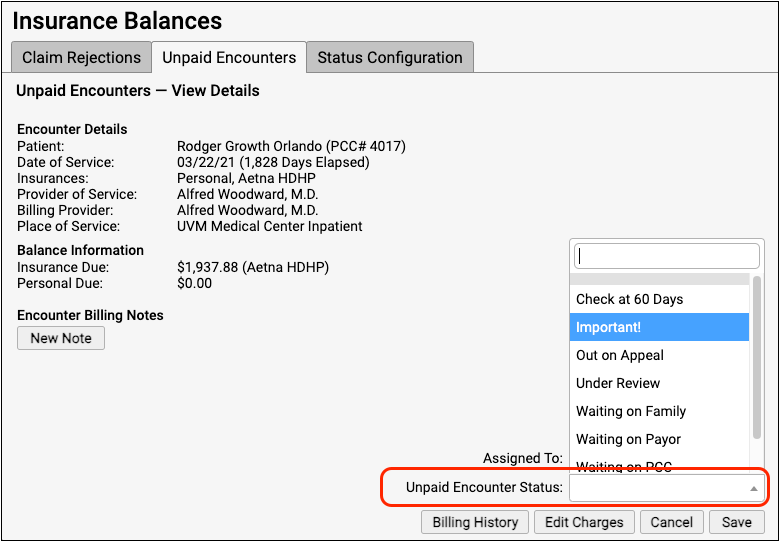
Do you want to track all claims that are out on appeal? Or create a worklist of unpaid encounters that you need to check on weekly? Your practice can organize and prioritize your unpaid encounters with custom statuses.
Print Batches of Paper Claims
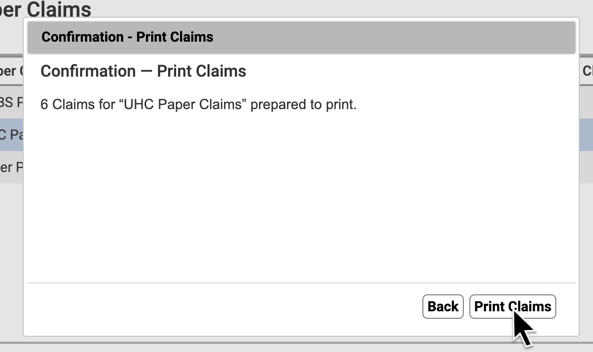
When a large number of claims need to “drop to paper”, quickly select that batch of claims, process them, and send them to your printer.
Quickly Find Patients’ Primary Insurance on the Schedule Screen
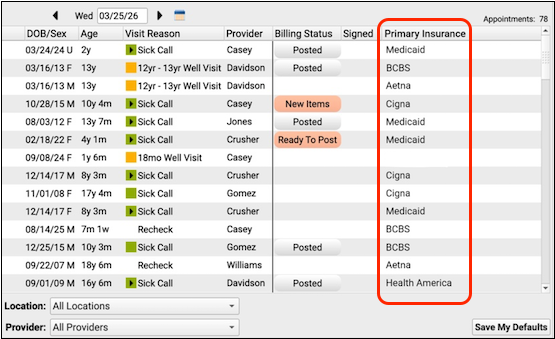
Use the schedule screen to quickly find out a patient’s current primary insurance group so that you can prioritize which encounters to post first.
Report on Insurance at Date of Service for Ready-to-Post Encounters
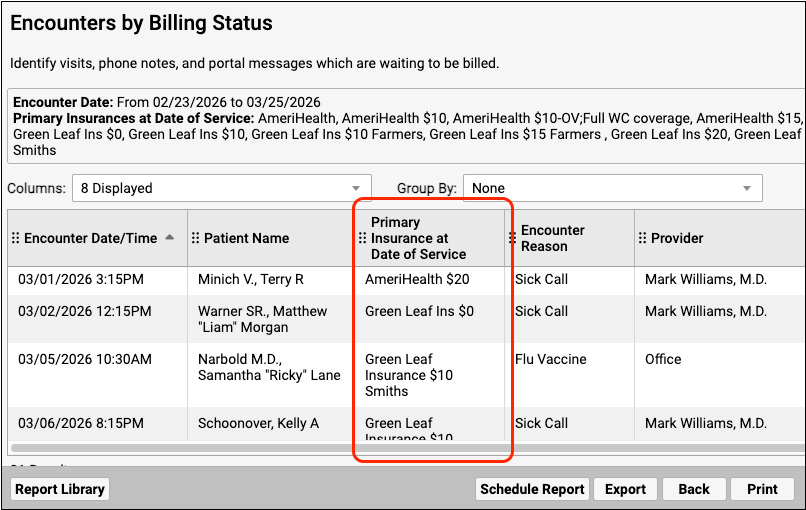
Catch up on posting with a report of ready-to-post encounters organized by primary insurance plan so that you can pick which encounters to prioritize.
Practice Administration & Oversight
Open a Patient’s Chart from Your Report Results Screen
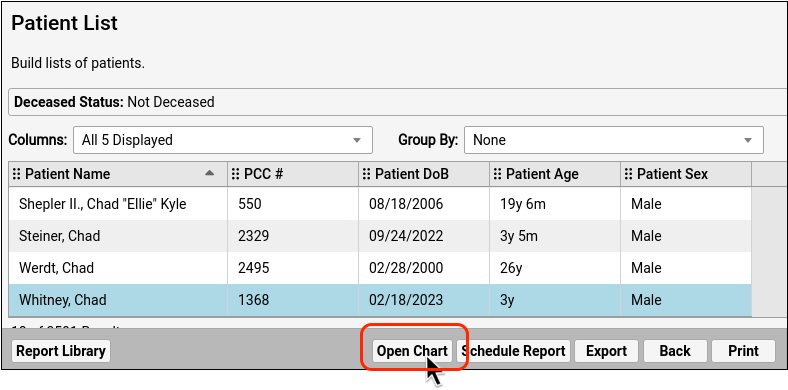
Highlight a patient row in your report results and click “Open Chart” to open and work with a patient’s chart.
Install PCC EHR More Easily
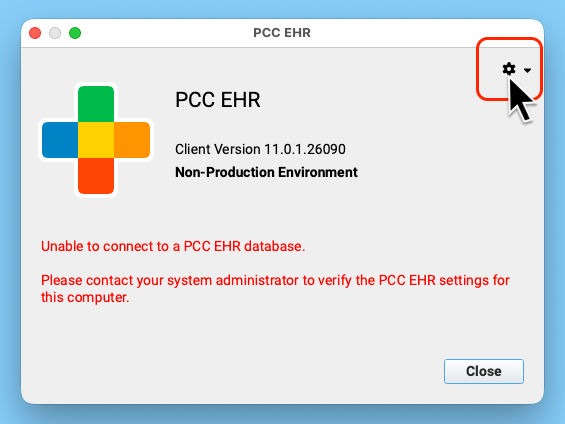
When you need to install PCC EHR on a new computer, complete the setup and connection to your system right from the login window.
Update PCC EHR Without an Admin Password on Windows Workstations
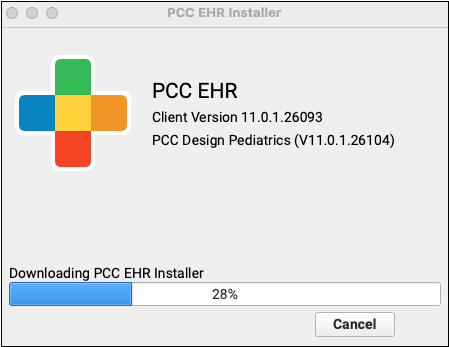
Update Mondays will soon be easier for Windows users: PCC 11.0 is the last release that Windows workstations will require an administrator password to update PCC EHR.
Spellcheck Your Form Letters
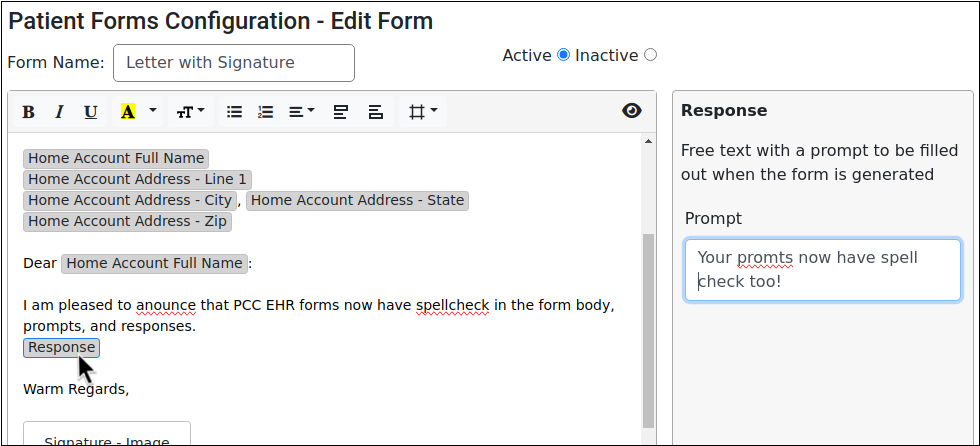
Check spelling while you type in the Forms Configuration tool.
Get Paid for Even More Clinical Quality Measures (CQMs)
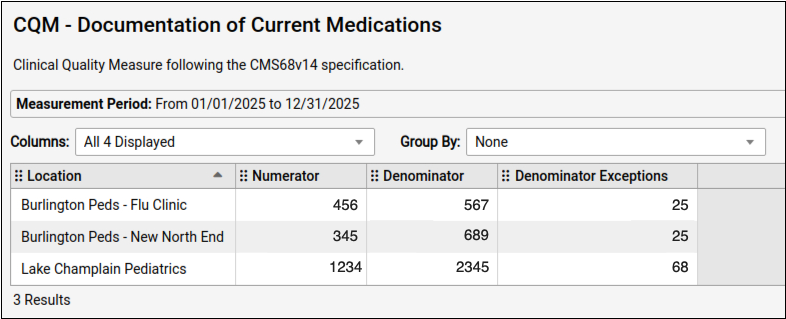
When you need to collect data for PCMH recognition, you can use even more CQM reports in the Report Library to find the information you need.
Find Patients with Medicaid as Secondary Insurance
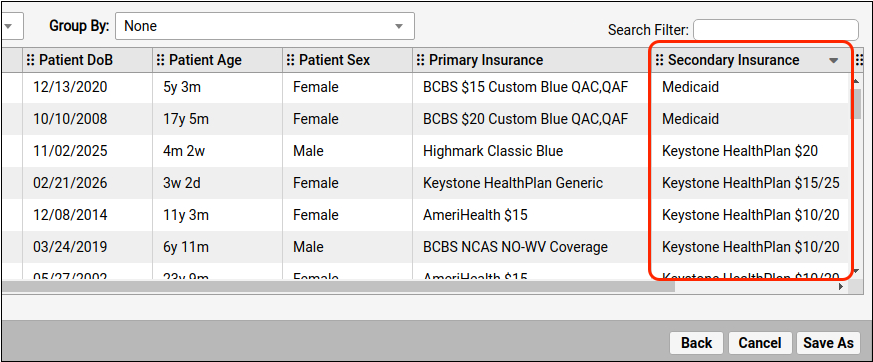
Use Patient List reports to identify patients with active Medicaid coverage or other secondary insurance.
Find Which Medicaid Patients Are Due for Their Second Dose
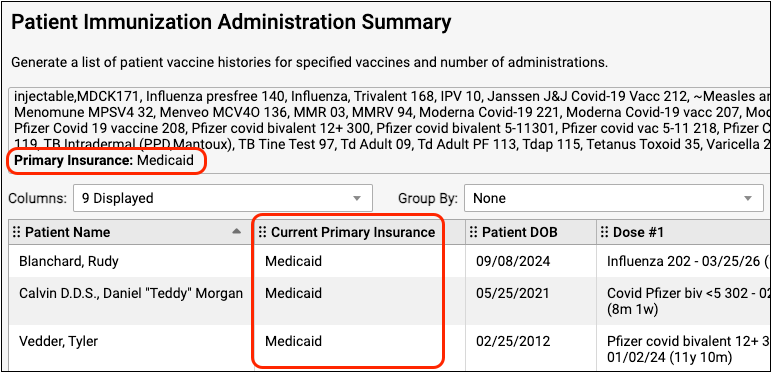
Report on immunizations and filter by insurance to discover which patients, with which insurance, are ready for their next dose.
Account for Vaccine Administration by Clinician
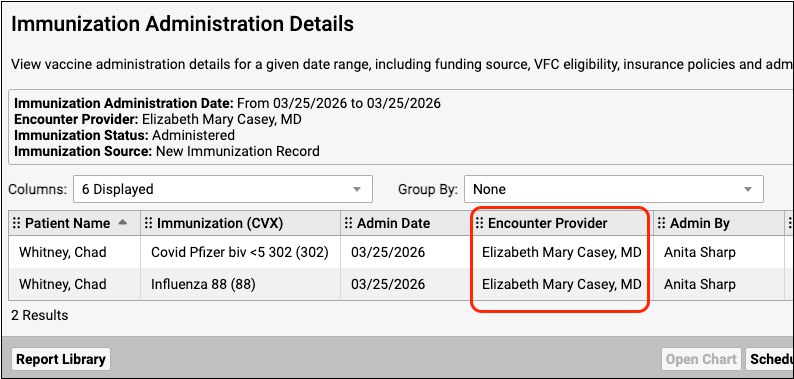
When you need to attribute a vaccine to the provider of the encounter, rather than to the staff member who administered the vaccine, use the immunization administration details report to find the information you need.
Demonstrate the Impact of Late VFC Vaccine Shipments
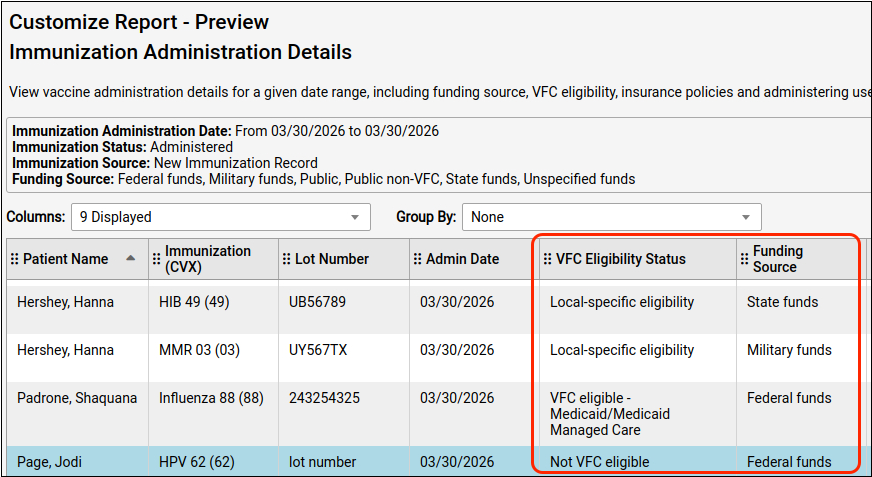
When VFC shipments are late, your practice can track the number of private vaccines administered to VFC-eligible patients with two new filters in the Report Library.
Scheduling & Front Desk
View Patient Documents During Check-In
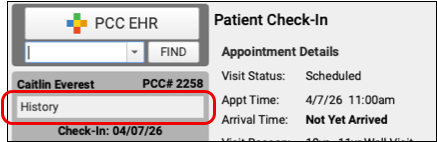
Ensure that your patients have up-to-date policy documents and insurance forms, check visit history and immunization records all without navigating away from patient check-in.
Make Sure You’ve Got Enough Sick Visits
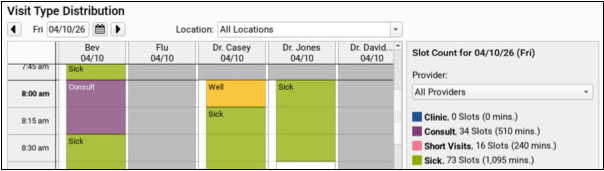
Make sure your schedule is ready! Use the new Visit Type Distribution report to count how many of each visit type are assigned to each provider on any day.
See All Appointments Scheduled by Portal Users
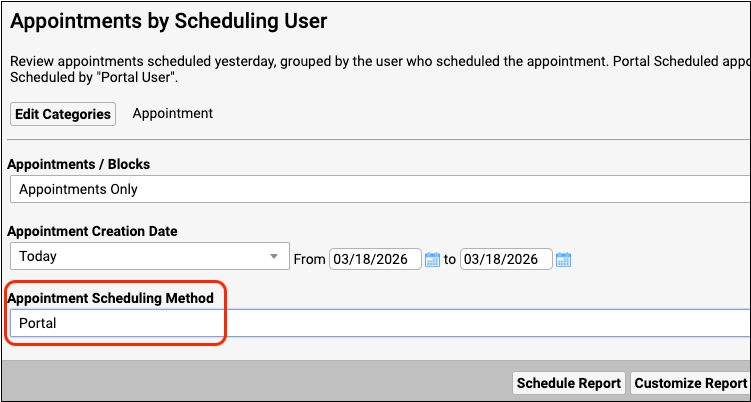
Use a new filter in the Appointments by Scheduling User report to find all the appointments scheduled by portal users.