
PCC 10.5 Release Overview
Scheduling & Front Desk
Appointment Notes for Every Appointment

Get essential information during scheduling and stay informed about what your patients need. You can now require users to include an Appointment Note when self scheduling.
Portal Scheduling Only with a Patient’s PCP

Ensure that patients see their own provider. Each portal scheduling category includes a new option to require a patient to be scheduled only for their assigned PCP.
Streamlined Patient Portal Scheduling Configuration
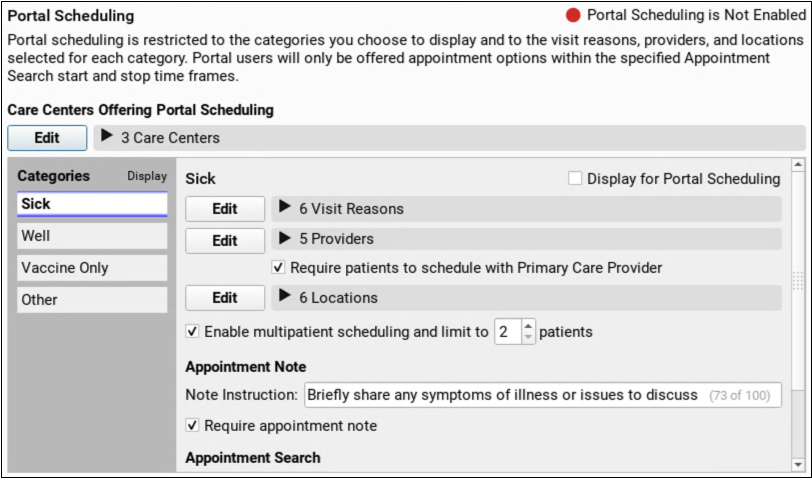
Patient portal Scheduling Configuration gets a new, streamlined, look, so you can review and manage self-scheduling efficiently.
Clinical
Mid-Parental Height Right Where You Need It
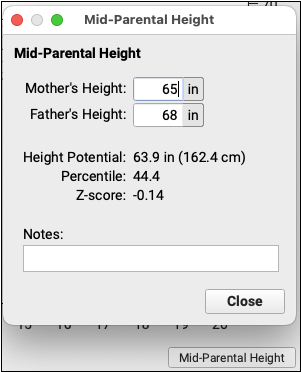
Record parents’ heights and calculate mid-parental height in the 2 to 5 and 2 to 20 year growth charts.
Import Files While Working Remotely
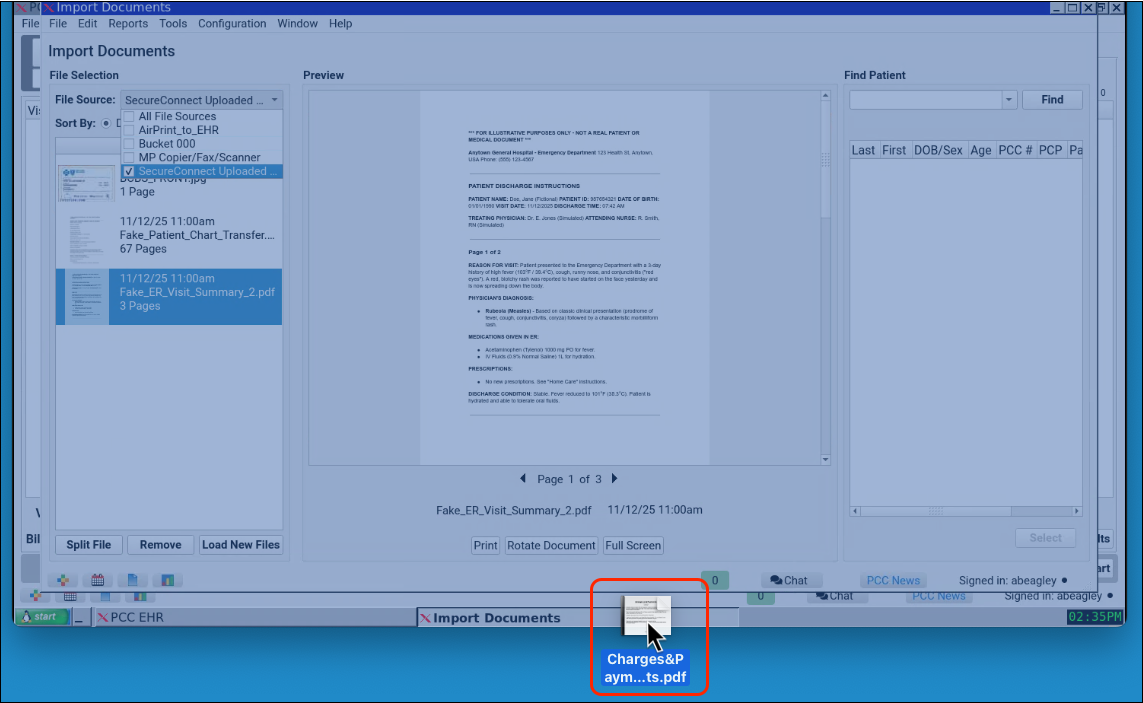
Need to upload a document while logged in remotely via SecureConnect? Simply drag your file over the SecureConnect window, then locate and manage the document as usual in Import Documents.
Track Visit Statuses from Anywhere
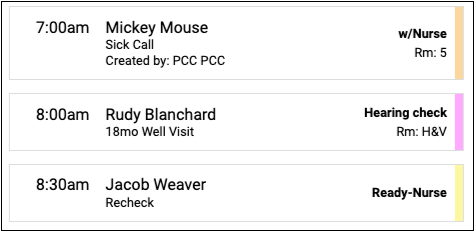
Stay updated on the status of every visit at your practice from your phone. PocketPCC now displays the status of each visit on the schedule page.
Jump from a Patient to a Sibling in pocketPCC
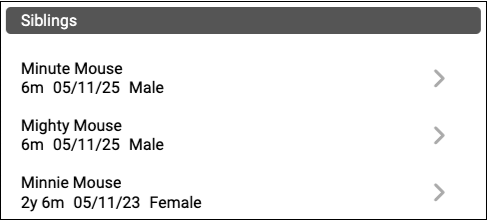
Jump from one sibling to another with a single tap. The siblings component in pocketPCC now includes a link to each sibling’s chart.
Approve pocketPCC Prescriptions Using Your Tablet, Your Watch, or Another Device
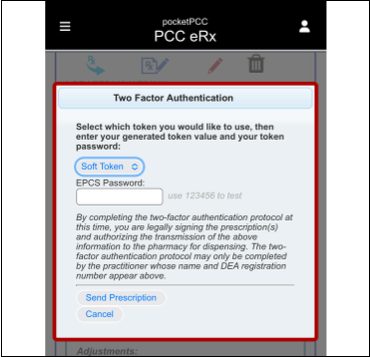
Use your Authy soft token to approve controlled substance prescriptions prepared in pocketPCC.
One “Mark as Reviewed” to Rule Them All

Regardless of where in the chart you are reviewing your patient’s medications and medication allergies, when you click “Mark as Reviewed,” you can see evidence of that action everywhere medication history and medication allergies display.
Billing
Prevent Certain Claim Responses from Autoposting
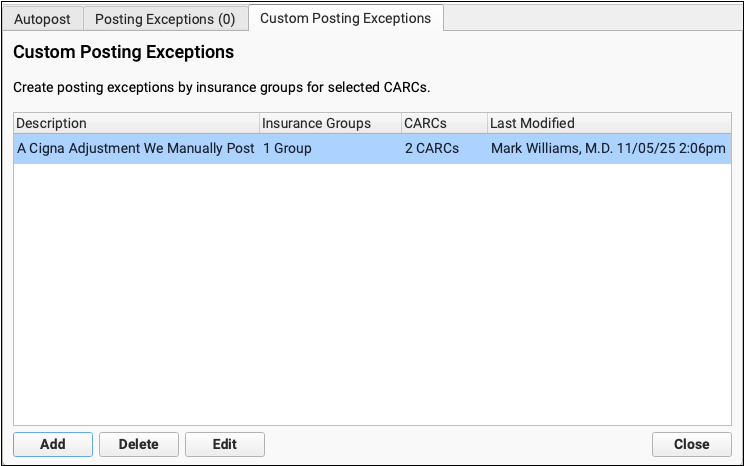
Got a special situation with a payor? Create your own custom rule that will prevent autoposting (based on payor and adjustment type) so you can process them on a manual worklist instead.
Find All Claims That Are Out on Appeal
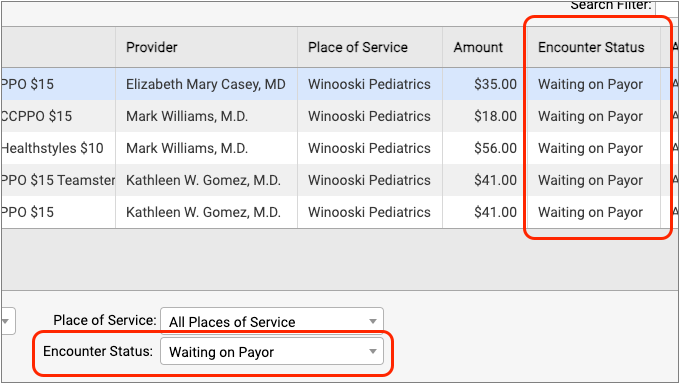
As you work on your practice’s insurance A/R, you can mark encounters with a status, such as “Waiting on Payor” or “Under Review”. Then you can track, organize, and filter your A/R by that status.
Find the Unpaid Encounters Assigned to You
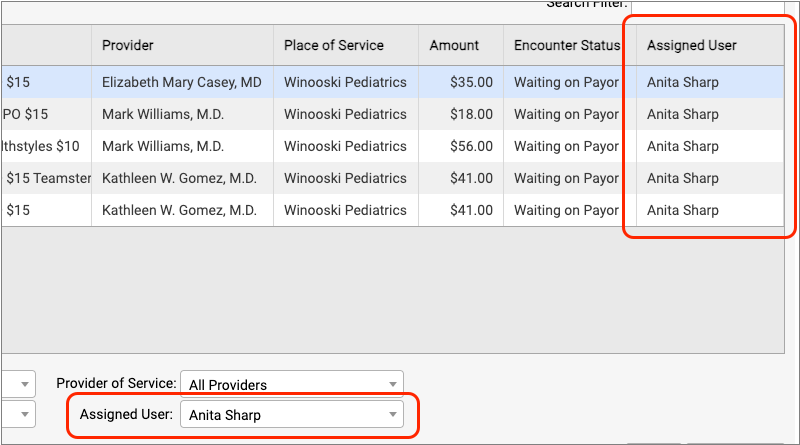
Do you need to make sure you followup on an encounter? You can assign it to yourself or another biller at your practice.
Your Billing Notes, Where and When You Need Them
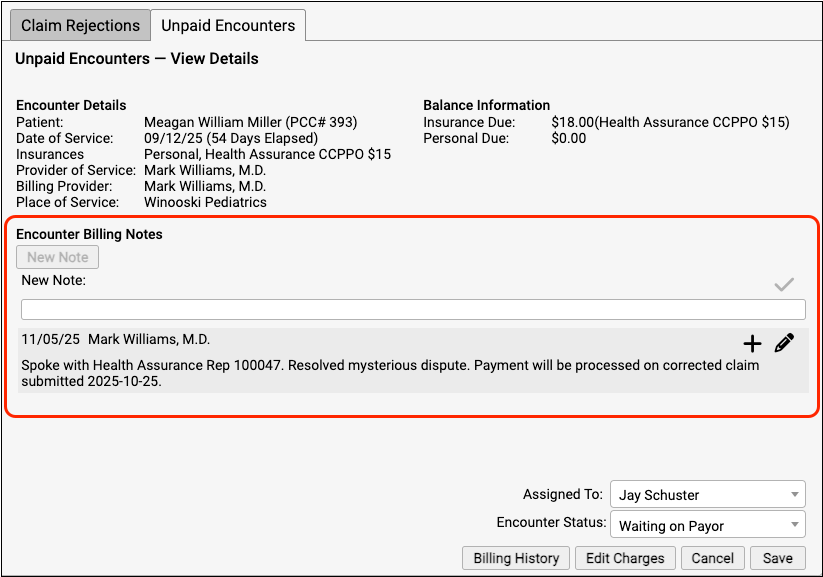
As you work on a rejection message or any unpaid encounter, you can update the encounter’s billing notes without leaving your worklist.
Quickly Pend All Charges Back to the Payor
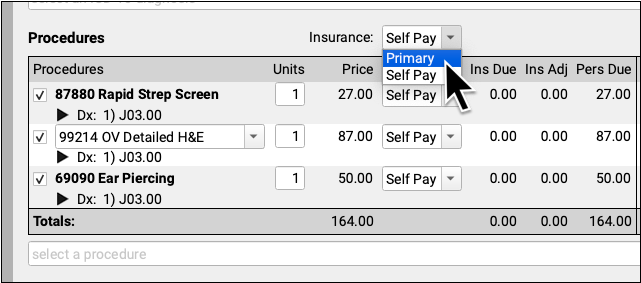
Do you need to pend an encounter back to the family’s primary, or switch all the charges to personal? Now you can adjust the responsible party for all procedures with two clicks.
Don’t Send Ear Piercings on Corrected Claims
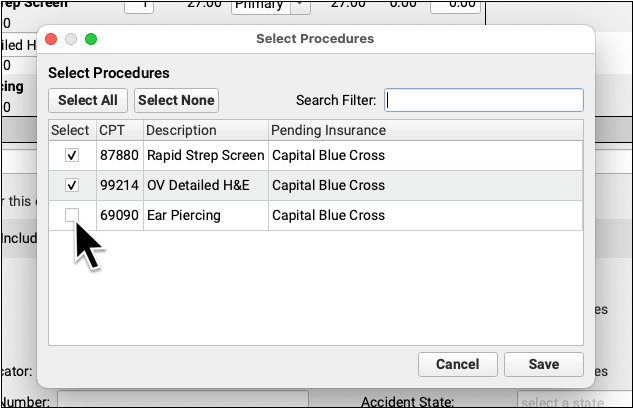
As needed, send only part of an encounter to a specific payor. Pick exactly which procedures from an encounter should appear on the claim.
Quickly Print a Paper HCFA Claim Form
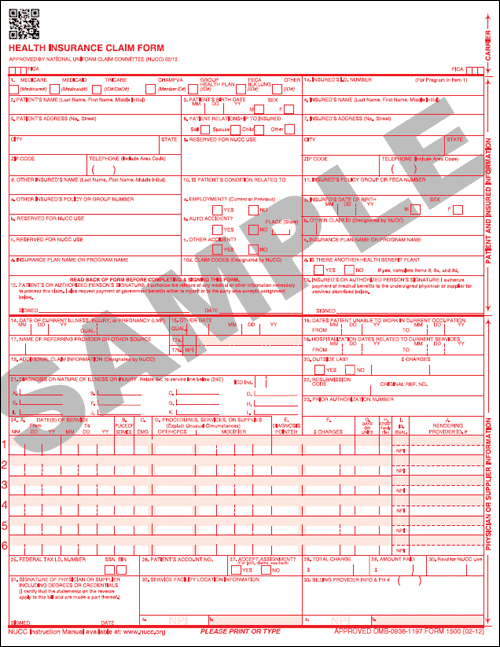
Sometimes, you still need a HCFA! In those rare cases when you need a paper claim, print one with the click of a button.
Easily Delete Refunds, Write-Offs, and Takebacks Posted By Mistake
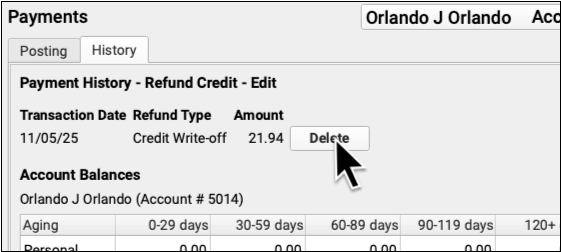
Oops! You posted an insurance takeback to the wrong account. PCC 10.5 makes it easy to quickly delete refunds, write-offs, and reversals.
Check the Current Status on a Claim in PCC EHR
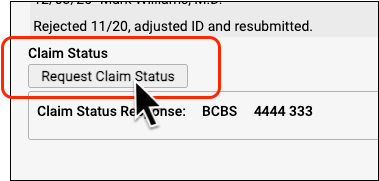
Instead of opening the payor’s website or calling them, see their latest claim status right in PCC EHR. This feature was pilot tested in PCC 10.5, for claims sent after the PCC update, and is now available to all practices.
Practice Administration & Oversight
Get Paid for Clinical Quality Measures (CQMs)
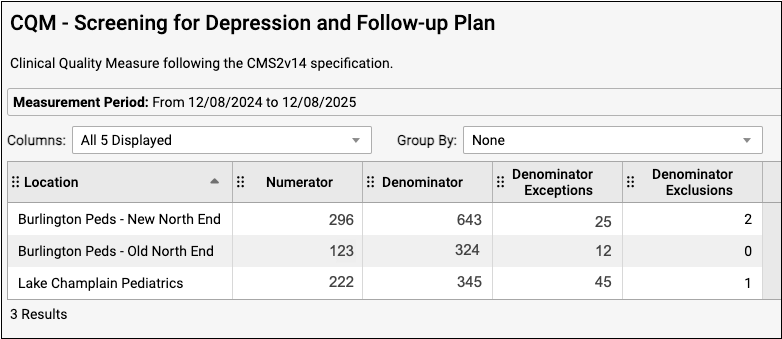
When you need to collect data for your PCMH certification or other external clinical quality measures, use three new CQM reports in the Report Library to find the information you need.
Optimize Your Providers’ Schedules
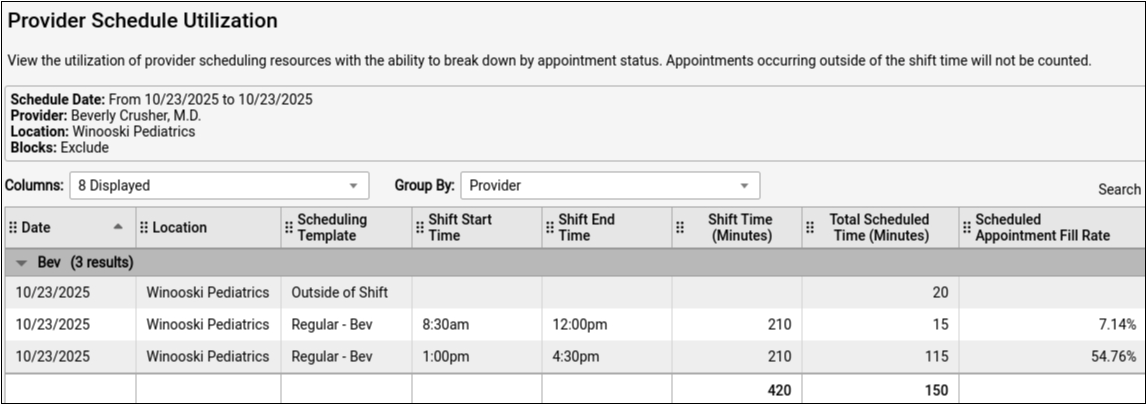
How can you tell if you’re making the most of your scheduling resources? The improved Provider Schedule Utilization report gives you data on appointment distribution across your schedules, providers, and locations over time.
Are Your Patients Eligible for VFC?
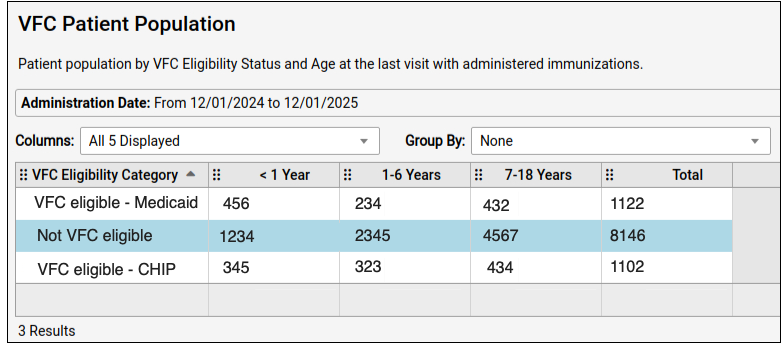
Maintain your practice’s Vaccines for Children (VFC) enrollment with the new VFC Patient Population report in the Report Library. Annual VFC reporting is faster and easier when you use this report to determine the eligibility status of various age groups within your patient population.
Send Even More Data to Your Business Office
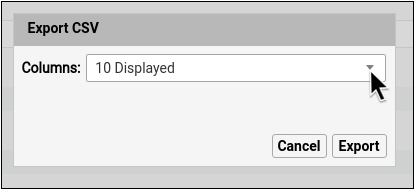
Export large data sets from the Report Library with one click. Use the “Export Results” button to save a CSV with over 20,000 rows right to your workstation’s Downloads folder.
Export Reports While Working Remotely
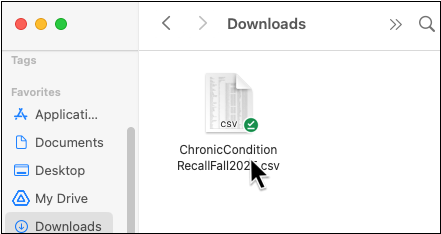
Download a report while working remotely via SecureConnect by clicking any “Export” button in the Report Library. Retrieve the exported file from the Downloads folder on your local workstation.
Reveal Inactive EHR Users
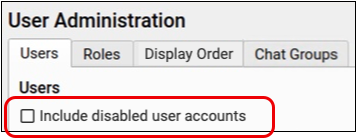
Find the users you’re looking for without the clutter of inactive users getting in the way. In PCC EHR’s User Administration tool, inactive users are hidden by default.