
PCC 10.4 Release Overview
Scheduling & Front Desk
Take Control of Portal Scheduling Search Rules
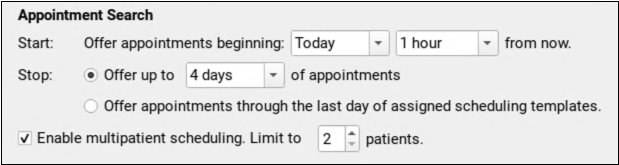
Choose how soon and how far into the future the patient portal should offer appointments for each of your scheduling categories.
Use Flags to Prevent Self Scheduling

Do you have patients with scheduling challenges or unusual requirements for an appointment? Add a flag to prevent them from self scheduling in the patient portal.
Activate Patient Portal Scheduling One Care Center at a Time
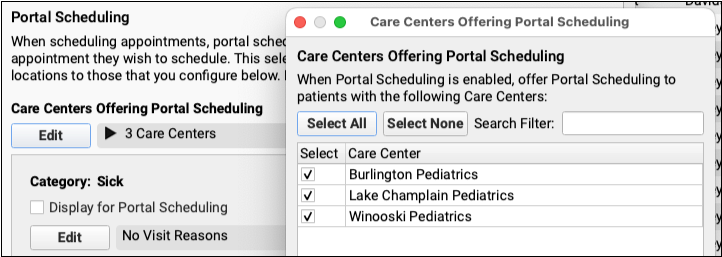
Portal Scheduling can be enabled for your Care Centers independently, so you can ease into using portal scheduling one center at a time.
Billing
Respond to Every Claim Rejection
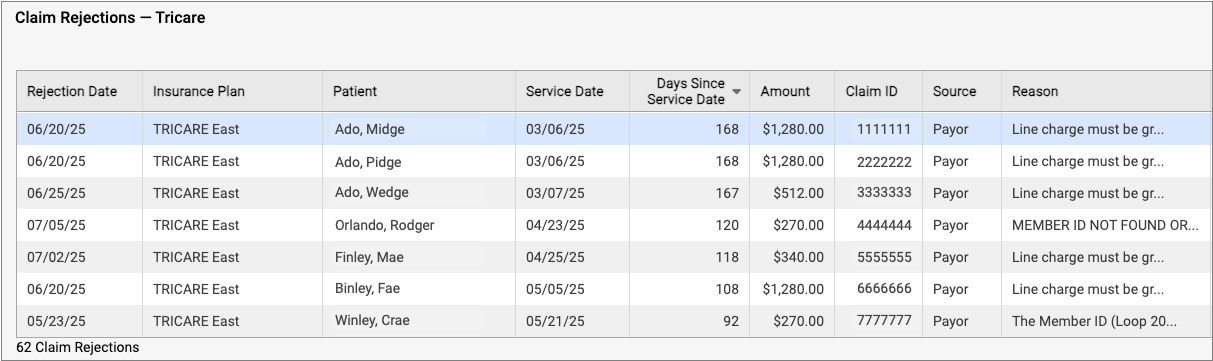
If unaddressed, rejected claims result in lost revenue. Use the new Rejected Claims worklist to review and respond to every claim rejection sent to your practice.
Follow Up on Unpaid Encounters with Insurance Balances
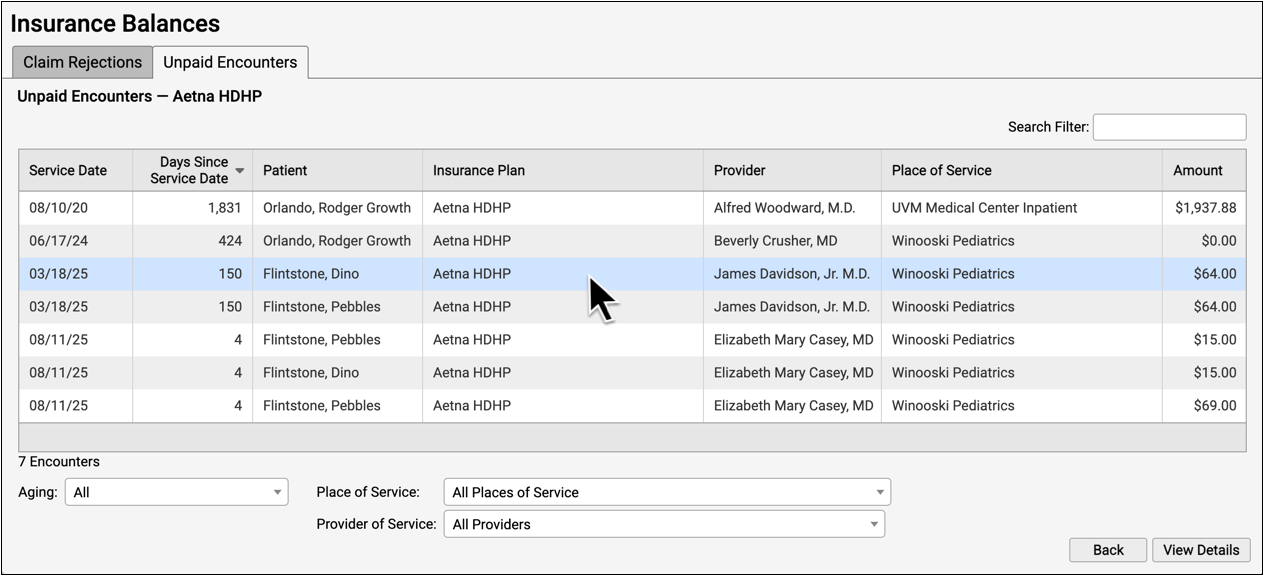
How can you track your practice’s insurance A/R and keep tabs on unpaid claims? Use the new Unpaid Encounters worklist.
Handle Claim Responses that Can’t Be Autoposted
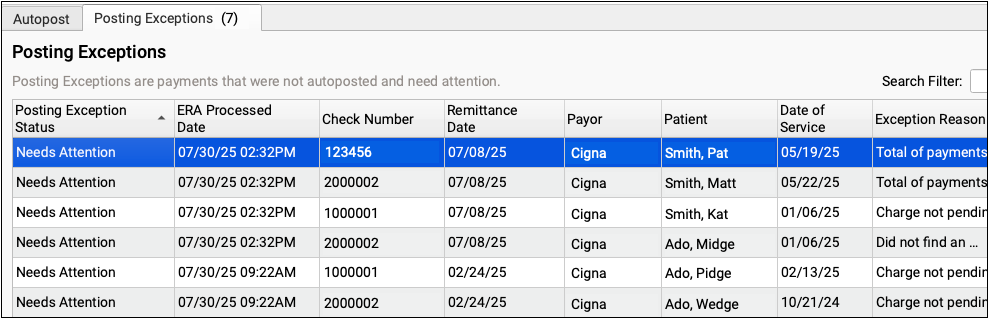
When something unusual arrives on an ERA, sometimes PCC can’t automatically post the adjudication. Use the new Posting Exceptions worklist to review and resolve payor responses that can’t be autoposted.
Reverse and Repost: Takeback Only Part of an Insurance Payment
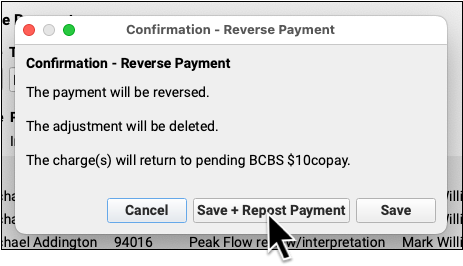
When a payor’s reversal changes only part of a posted payment, you can now more easily reverse the original payment and repost. You can just enter the changes; you don’t need to re-enter the entire payment.
Work Personal Balances in PCC EHR
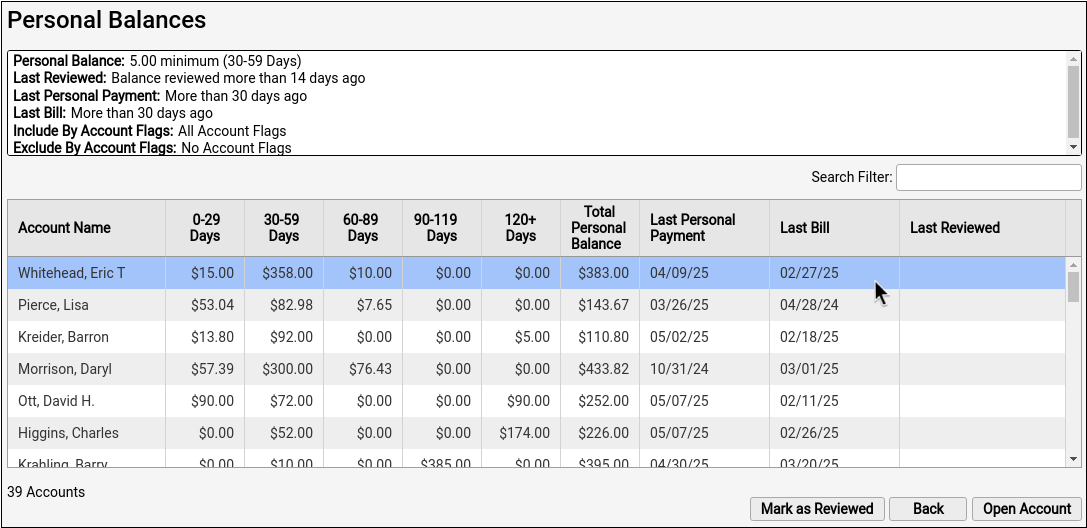
How do you know which families owe you money, and who you need to call? Use the Personal Balances tool to work down a list of accounts, contact them, and collect.
Use a Family’s Account History to Resolve Billing Issues
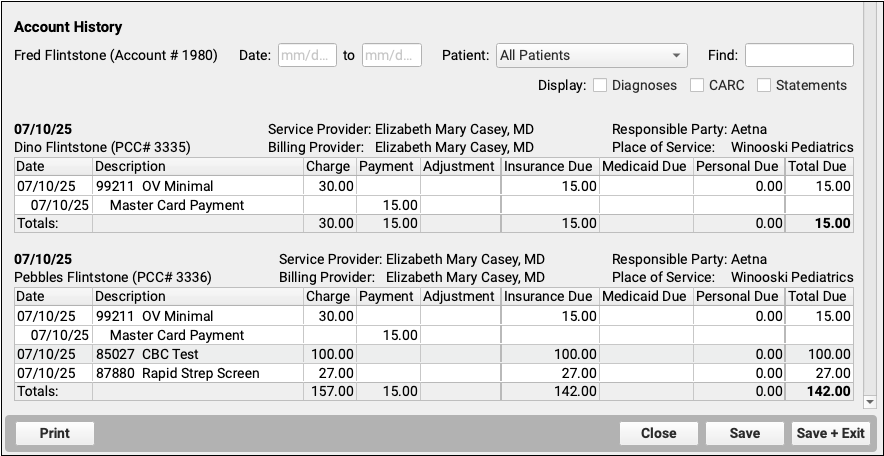
When you need to troubleshoot a billing issue for an account, or a family asks for an annual account record, use the new Account History in the patient’s chart.
Update Billing Identifiers to Prevent Claim Rejections

To get paid, every claim needs a tax ID, an NPI, and a taxonomy code. Quickly update these vital identifiers for your clinicians in the PCC EHR Tables tool.
Generate 30-Day Letters in PCC EHR
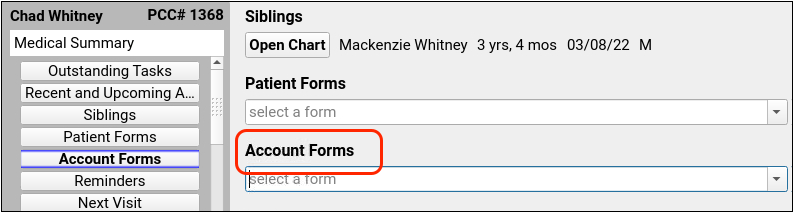
Want to generate a 30-day letter right from a chart? Practices using the Forms Configuration tool can generate account forms with specialized account variables such as account balance and missed appointments.
Clinical
Use Snap Text in PCC eRx
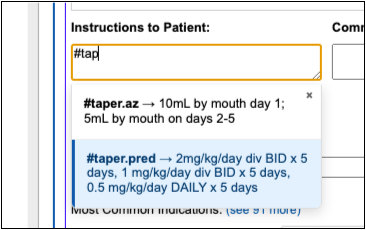
Use Snap Text shortcuts to quickly enter taper instructions and other common prescribing phrases whether you are prescribing from your computer or your phone.
Billing
Customize Your Flags for Alerts, Scheduling, and Reporting in PCC EHR
Need to track accounts with billing problems? Prevent scheduling of certain patients? Customize your practice’s account and patient flags in the Flags table in PCC EHR.
Practice Administration & Oversight
Hide Inactive Patients in Search Results
Optionally hide all inactive patients in patient search results.
Search for Patients by Care Center
Narrow your search results and find the patient you’re looking for by limiting search to a single care center
Scheduling & Front Desk
Customize the Search Rules for Portal Scheduling Categories
Configure the Portal Scheduling Search Rules to match your practice’s scheduling needs.
Enable Portal Scheduling by Care Center
Select which Care Centers should be available for scheduling via Patient Portal.
Clinical
Easier Access to Snap Text While Charting
Quickly review and find the Snap Text you need while charting.
Scheduling & Front Desk
Schedule Appointments for the Whole Family in Patient Portal
Schedule the whole family at once through the patient portal. Select multiple patients while scheduling and the patient portal will find time slots to fit everyone back-to-back.
Find Exactly the Right Appointment Time in Patient Portal
Patients and families can find the perfect appointment time slot quickly and easily. Page through available time slots, or jump directly to the most convenient day instead of scrolling endlessly.
Schedule More Than Just Sick or Well Visits in Patient Portal
Expand your patient portal scheduling with two new Patient Portal scheduling categories: Other and Vaccine Only.
Billing
Create Account Forms
Build your own account forms, such as billing communications and letters to families, with the PCC EHR Forms tool.
Clinical
More Options for Resending Prescriptions
Resend prescriptions from more spots in PCC eRx; train clinical staff to re-queue corrected prescriptions for a prescriber to send later; and resend or reroute any prescription in a three-month supply when the patient is ready to fill it.
Simpler Identity Proofing for EPCS
A new Exostar identity proofing method lets new providers register to prescribe controlled substances by submitting a picture of their photo ID instead of answering questions based on their credit histories.
Find Settings More Easily in PCC eRx
PCC is freshening up the My Settings page in PCC eRx so you can find options faster.
Better Control over the Drug Name and NDC You Send to the Pharmacy
For drugs that have a range of brand equivalents with different release mechanisms, like methylphenidate ER, communicate your intent to the pharmacy by choosing the specific drug name and NDC you want to have appear on your prescription.